

At GOWOD, we understand that your priority is to offer the best possible experience to your members. We also know that it can be challenging to understand the needs and capabilities of each member.
The GOWOD affiliate platform is a revolutionary system that adds value to both your members and your staff, while improving the overall experience within your gym.

Optimized coaching
Optimize your coaching by accessing individualized mobility data for your members.
Efficient protocols
GOWOD automatically creates personalized mobilization protocols for each of your members, and automatically adapts them to your CrossFit® gym.
Exclusive benefits
Earn a commission for you on every GOWOD Premium subscription purchased through your link, and give all your members an exclusive discount on their
subscription.
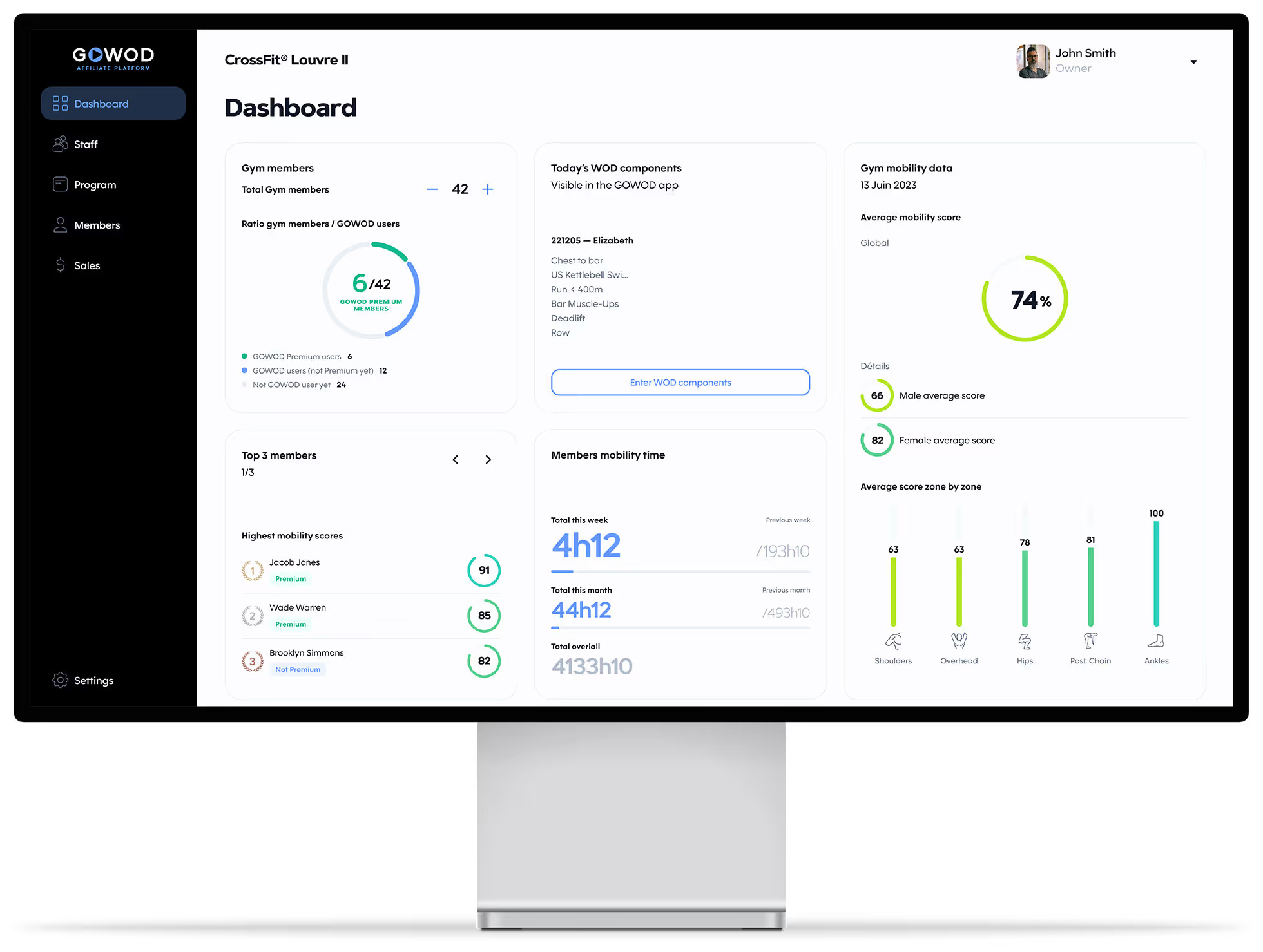
Get an overview of your members' mobility. Access all global and individual statistics.
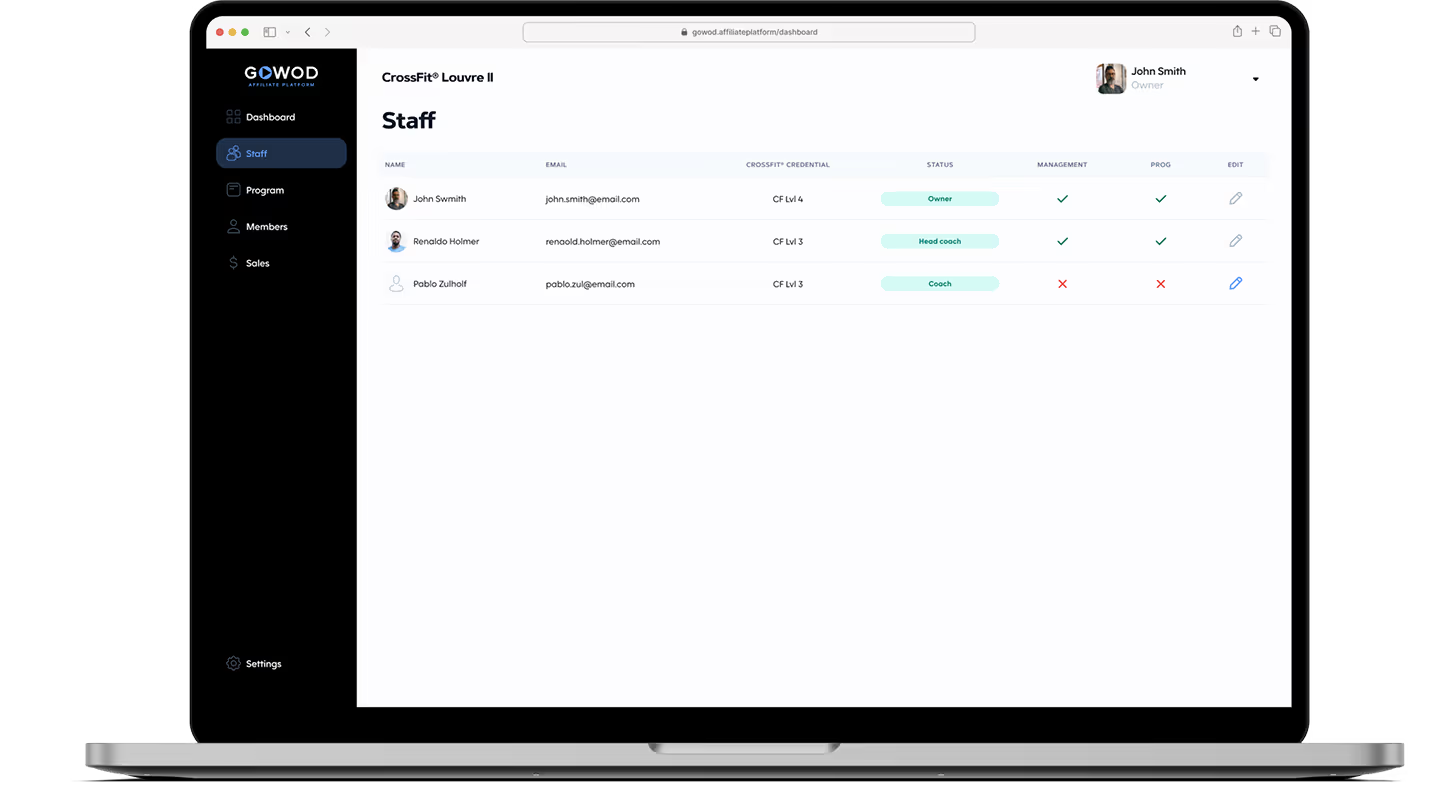
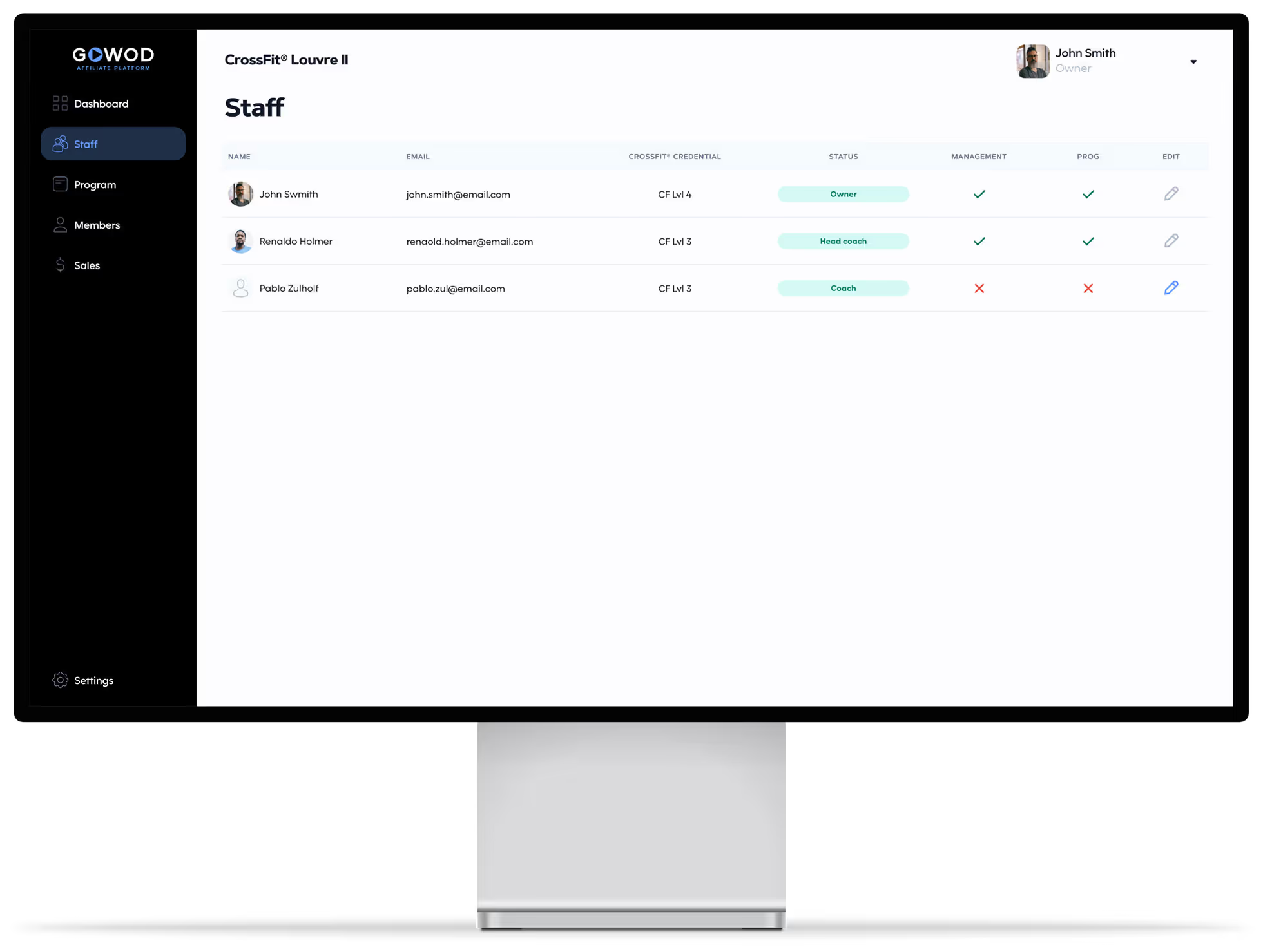
Allow your staff to access the platform, sell discounted GOWOD subscriptions, and earn commissions.
Add the WOD into the platform and allow your members to access their personalized mobility protocol from their GOWOD app.
Increase your retention rate by encouraging your members to mobilize with a specific purpose, in order to perform better and avoid injuries.
Enhance your members' experience by selling discounted GOWOD Premium subscriptions, also generating commissions for you and your staff.
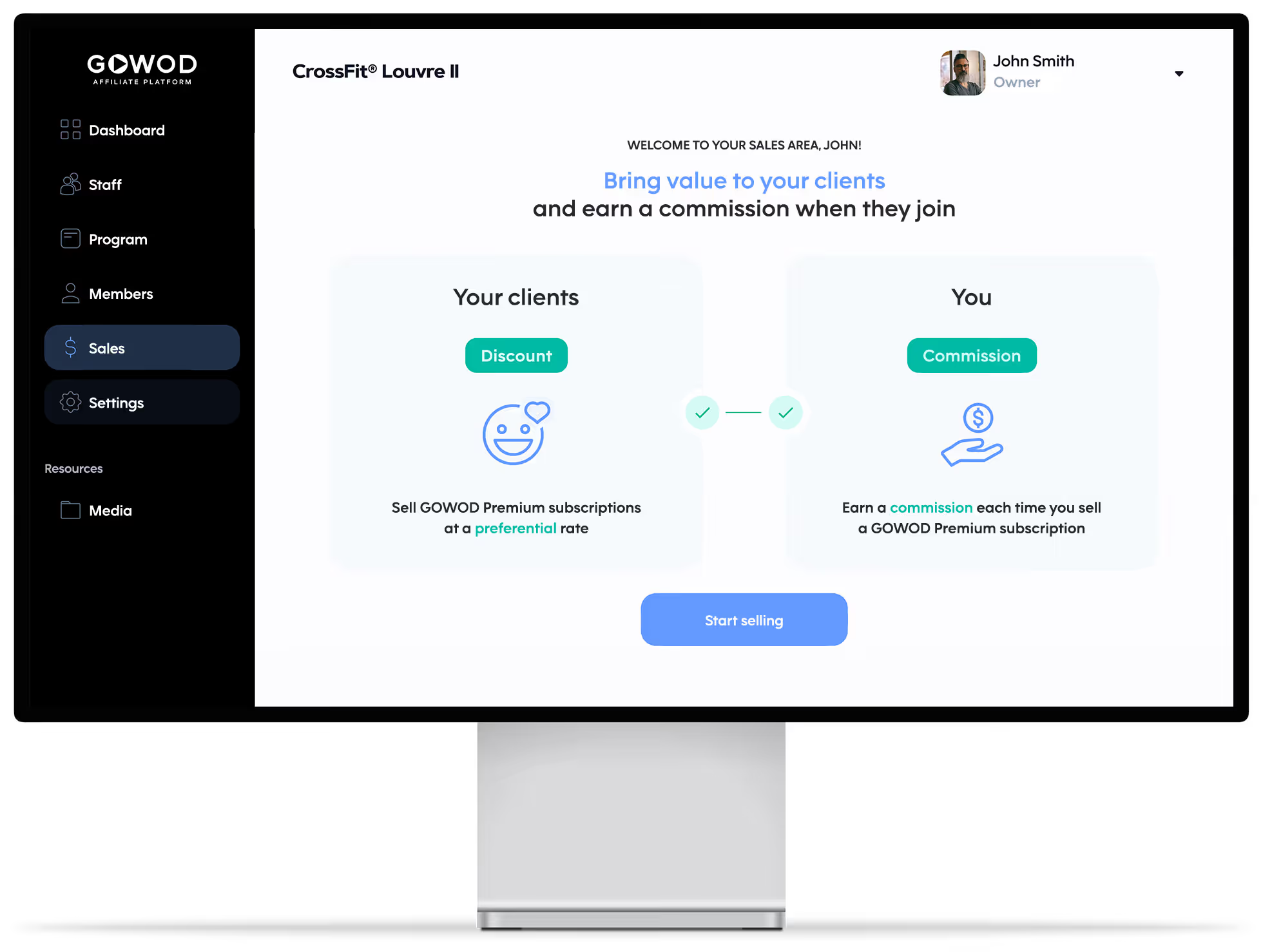


Bring value to your clients.
Provide your staff with a commission.
Thanks to you, your members benefit from an exclusive discount on the GOWOD Premium subscription. The seller (you or a member of your staff) receives a commission on each sale (including renewals).
The GOWOD Affiliate platform is a unique platform dedicated to CrossFit Gym owners. The platform allows you to:
To have access to the GOWOD Affiliate Platform, you need to be a CrossFit® Affiliate gym owner. You can ask for your access directly on the GOWOD website:
If you have several gyms, you need to request access to the GOWOD Affiliate Platform for each gym.
The owner of your CrossFit® Affiliation will be the one to request for the GOWOD Affiliate Platform.
Absolutely not, it’s FREE!
Not for the moment, if you have any suggestions to add a Top 3, please send them to owners@gowod.app
Directly on your GOWOD Affiliate Platform Dashboard, you can adjust your number of members.
Not for the moment, if you have any suggestions to add statistics or data, please send them to owners@gowod.app
To add a staff member, please follow these steps:
Your staff member will have to confirm his/her account by email to have access to the GOWOD Affiliate Platform.
If your staff members already have a GOWOD account, it is best to use this email address to access the GOWOD Affiliate Platform.
But they can create another GOWOD account if they want to use a separate one.
Contact us at owners@gowod.app for any update of your email address.
The password used to access to the GOWOD Affilate Platform is the same one used for your GOWOD app.
You can change your password only from the GOWOD app:
To sign in to your GOWOD Affiliate Platform, you’ll simply need to use the same password entered in your GOWOD app.
You can change your profile picture only from the GOWOD app:
On the GOWOD Affiliate Platform, the only information you can update is your CrossFit Credential. For the rest, please refer directly to your GOWOD app.
Your gym members need to select your CrossFit Affiliate in their Profile from the GOWOD app.
Dashboard → Profile → CrossFit gym
There are several possibilities:
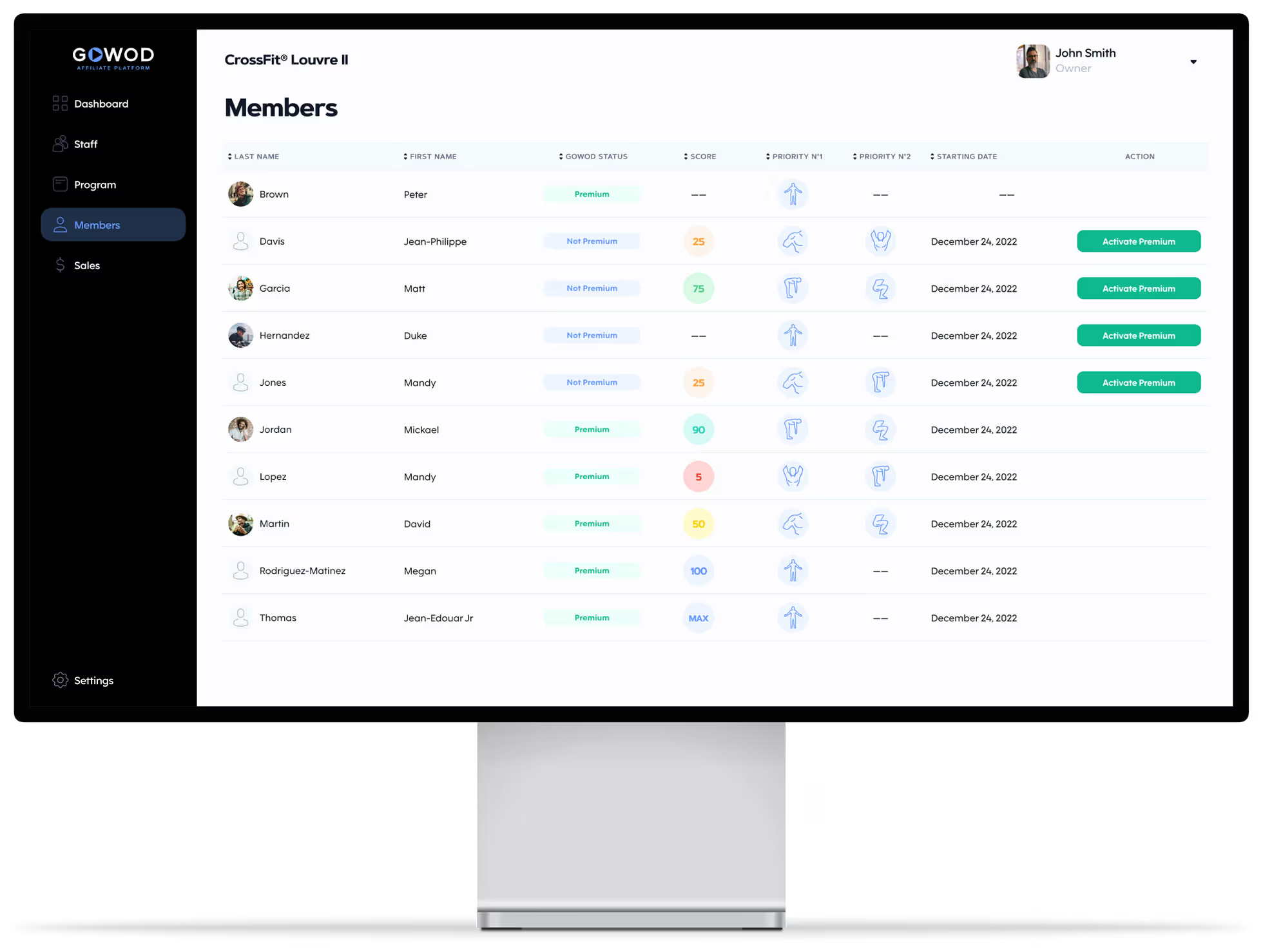
You can access your members' mobility data directly from their member card.
Members > Select a member
You can access the following information:
Go to the 'Sales' tab, copy your link, and send it to your members however you prefer.
This section is not a workout generator.
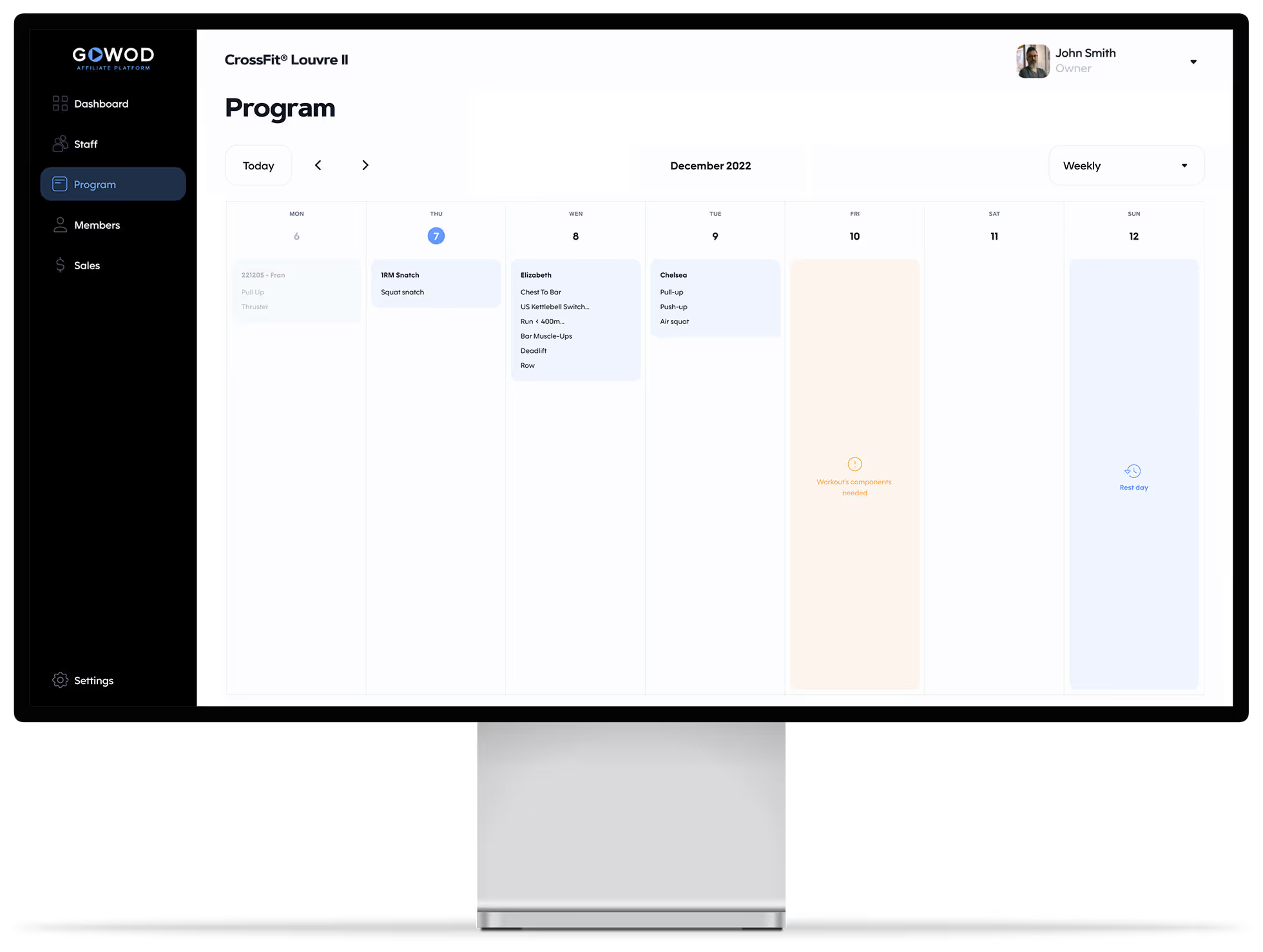
This section allows you to enter your gym program to make the mobility protocols adapted to it available in the GOWOD app for your members.
Enter the workout of the day in the platform, so the members can access automatically to a personalized mobilization protocol directly from the GOWOD app, and without having to add the exercises manually.
To enter a workout, please follow these steps:
Sure, you can!
Please select the day for which you want to change the workout title.
Replace the default title, which is today’s date, by the title of your choice.
Warning: this title is visible by your members in the GOWOD app
It is quite possible that one of the movements you have programmed is not listed. If this is the case, replace it with a similar movement or one with the same muscle stimuli. For any request to add a movement, you can directly suggest a movement from the GOWOD Affiliate Platform or email us at owners@gowod.app.
If a member of your Staff can’t edit the workouts, it means that they don’t have the right to it.
To manage its rights, please follow these steps:
There are two possibilities:
1 - They have not selected your affiliate in their profile.
GOWOD Dashboard → Profile → CrossFit Gym
2 - They do not allow the sharing of their mobility data with your affiliated gym.
GOWOD Settings → My Personal Information → Share my GOWOD information with my affiliate.
Need more help? Contact the GOWOD team at owners@gowod.app